# HOWTO Configure Google Analytics
## Introduction
This document explains how to configure [Google Analytics 4](https://analytics.google.com/analytics/web/?) and integrate it into your existing web site, for instance the one created following the [HOWTO Create a Landing Page on Netlify](howto-create-landing-page-netlify.md).
## Reference documents
### A Founders Guide to Google Analytics: Part 1
In this session we'll cover the basics of Google Analytics 4, including how to surface AI driven insights for your customers and how to create and use reports
Presenters:
* [Ainhoa Ybanez](https://www.linkedin.com/in/ainybez/) - Advertising Solutions Architect, Mobile Apps, Google
* [Grant Kemp](https://www.linkedin.com/in/creativetechnologyuk/) - Advertising Solutions Architect, Mobile Apps, Google
[](https://www.youtube.com/watch?v=EY6PDUowafE "EMEA: The Founders Guide to Google Analytics, Part 1: Getting started")
### A Founders Guide to Google Analytics: Part 2
In this follow up session, we'll explore workspaces in GA4 and you'll learn how to build custom tables and visualizations of your data
Presenters:
* [Ainhoa Ybanez](https://www.linkedin.com/in/ainybez/) - Advertising Solutions Architect, Mobile Apps, Google
* [Grant Kemp](https://www.linkedin.com/in/creativetechnologyuk/) - Advertising Solutions Architect, Mobile Apps, Google
[](https://www.youtube.com/watch?v=0V99kmrW9EI "EMEA: The Founders Guide to Google Analytics, Part 2: Exploring your data")
## Step-by-step instructions
### Create a new GA4 stream on Google Analytics
Login to
Create a new Analytics Account, or choose an existing one.
Click **Admin**, then **+ Create Property**. The following page should be displayed:
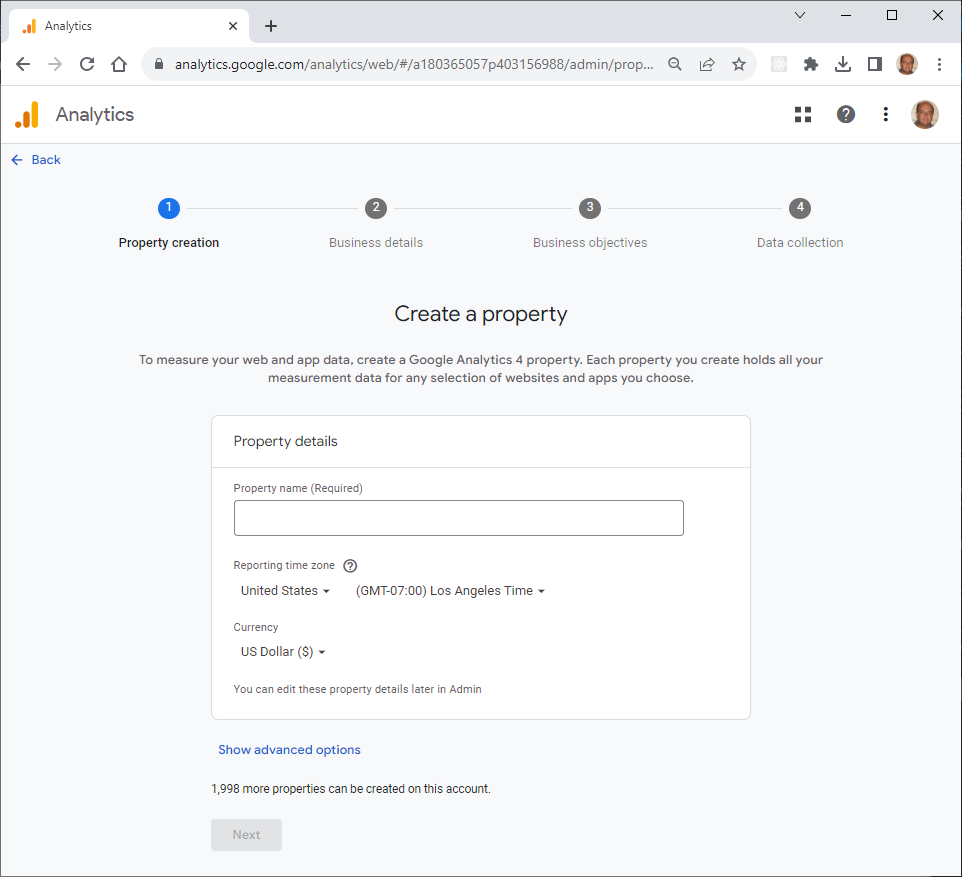
Fill in the Property details. In our example:
* Property name (Required): `baroloteam`
* Reporting time zone: Italy
* Currency: Euro (€)
then click **Next** and fill in our Business details. In our example:
* Industry category (Required): Hobbies & Leisure
* Business size (Required): Small - 1 to 10 employees
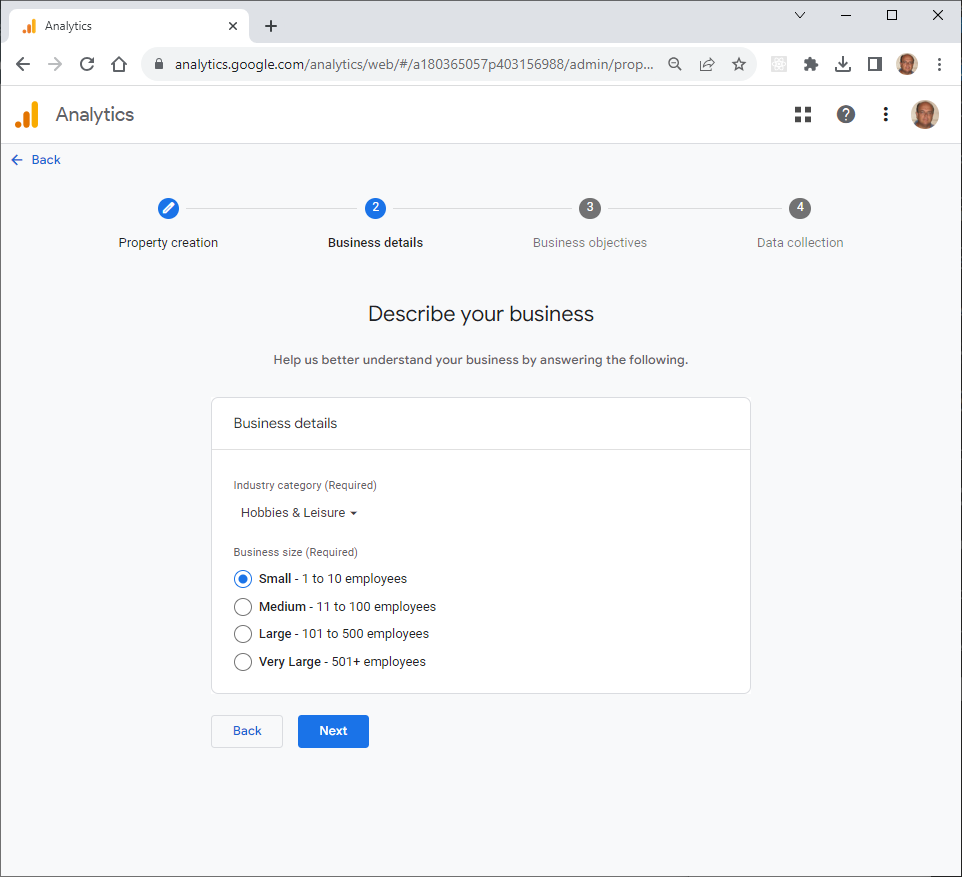
Click **Next**, then choose our business objectives.
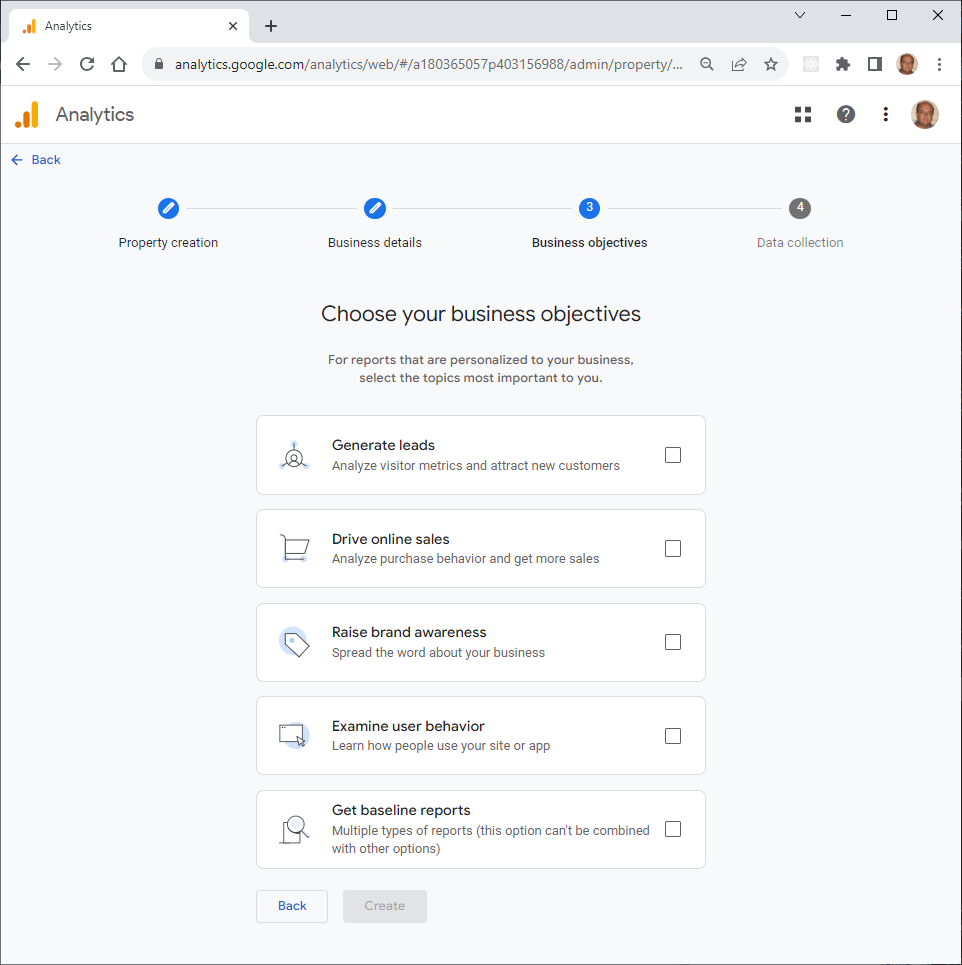
In our example:
* [x] **Generate leads**
* [ ] **Drive online sales**
* [x] **Raise brand awareness**
* [x] **Examine user behavior**
* [ ] **Get baseline reports**
When you are done, click **Create**. The wizard will show the following page:
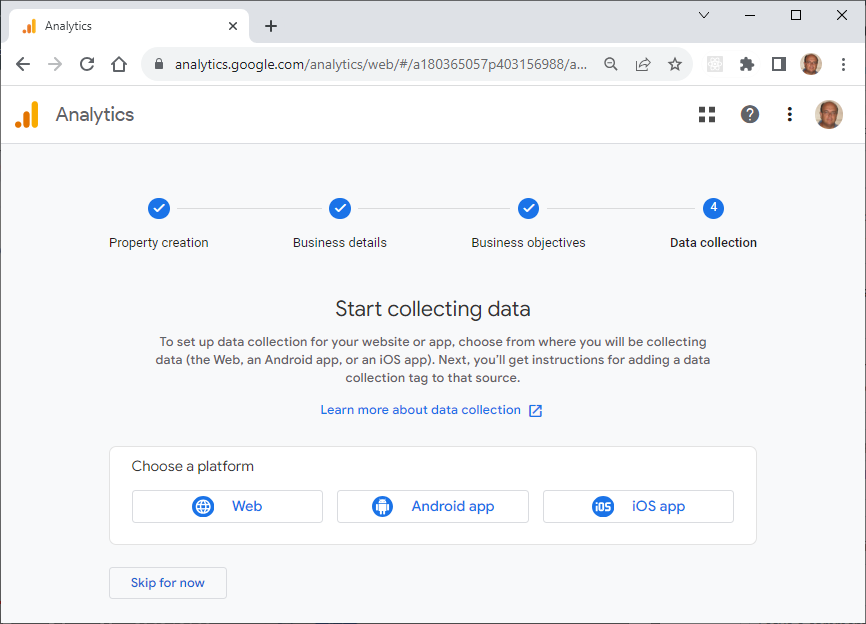
In our example we only choose "Web". We should now set up our web stream.
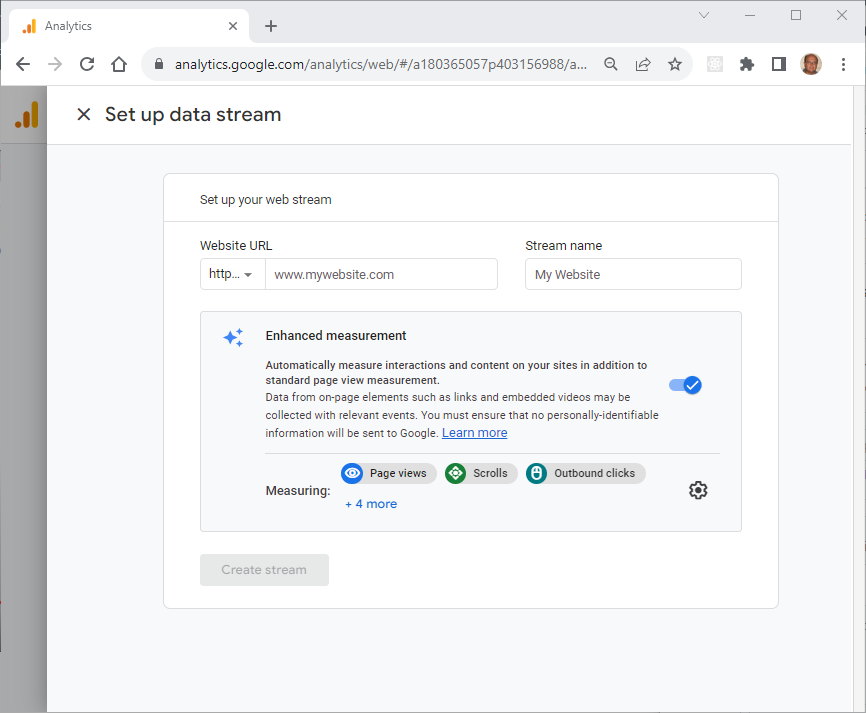
Fill in the required information - in our example:
* Website URL:
* Stream name: baroloteam.online stream
* Enhanced measurements: (leave defaults)
then click **Create stream**. After a few seconds the stream details will be displayed:
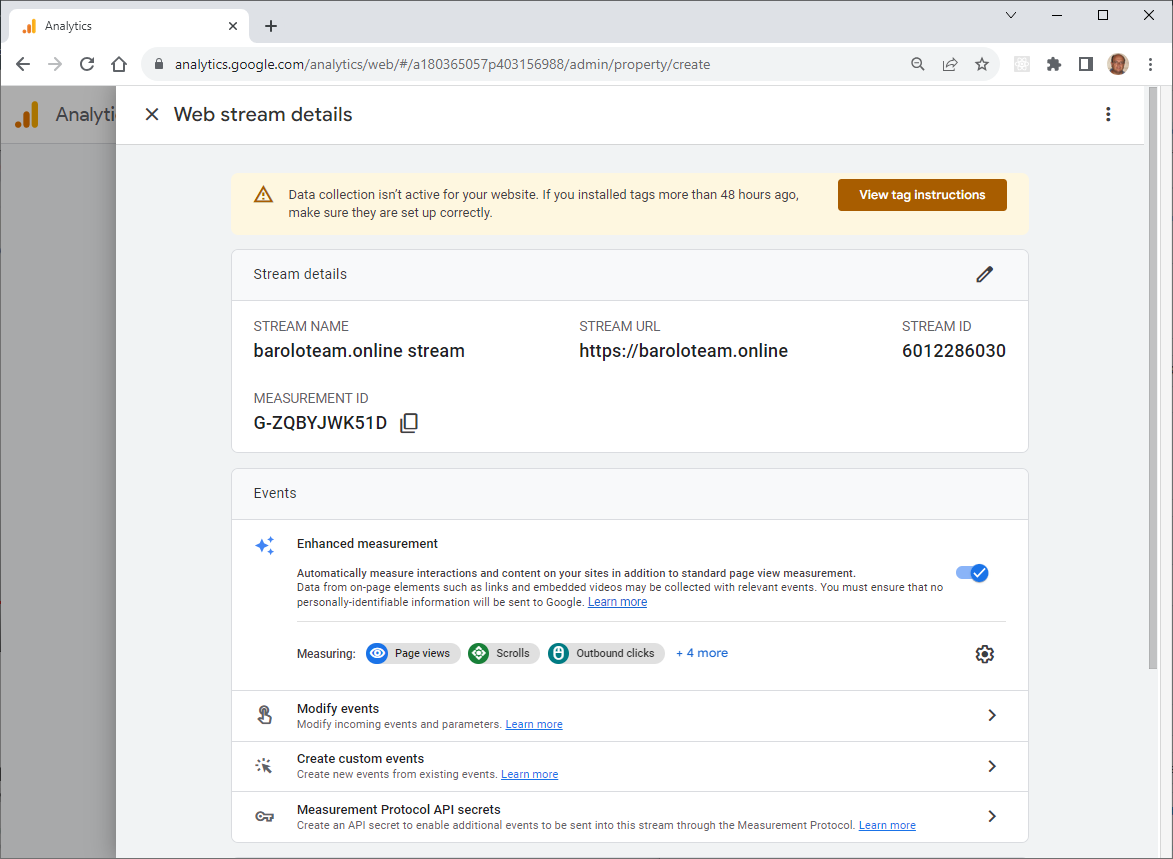
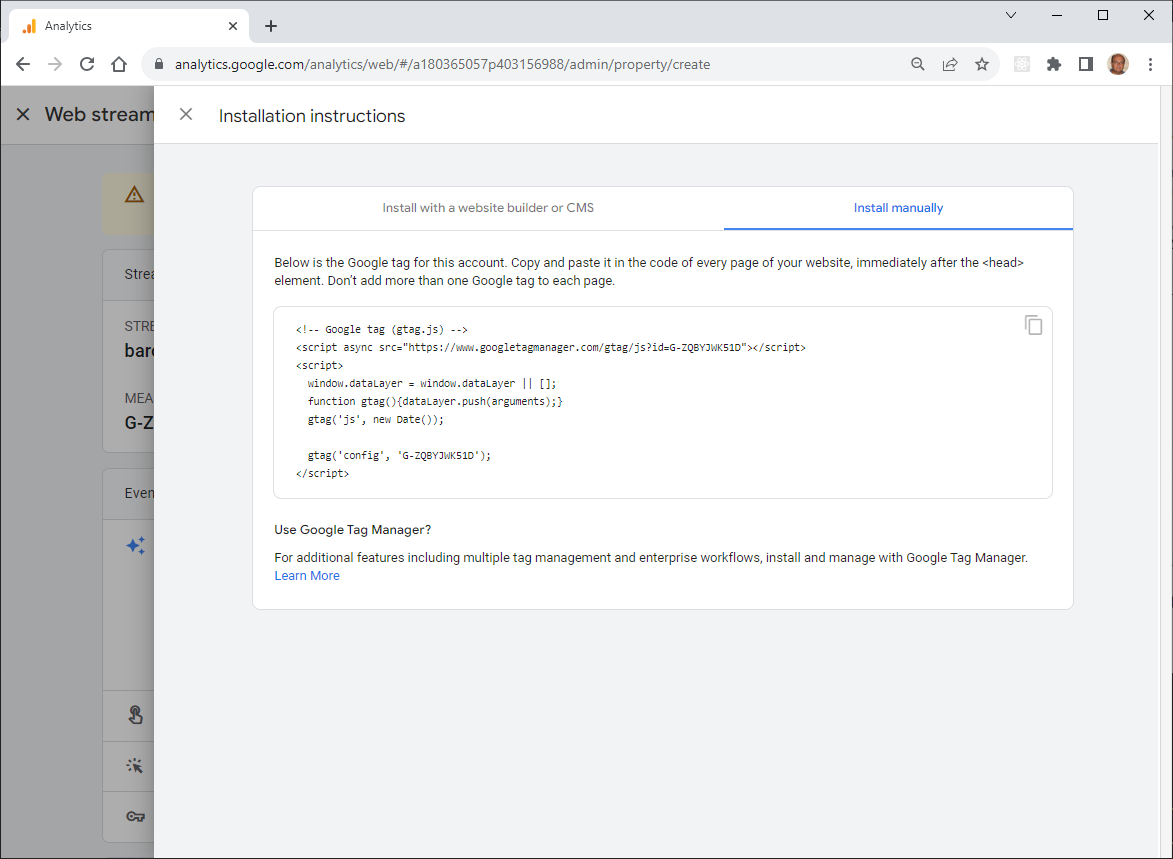
Click **View tag instructions** to display code snippet to be injected into your website.
In our example:
### Inject GA4 scripts into a Gatsby site
Reference:
Edit file `src/components/header.js`
NOTE: For a site based on the template the file is called `src/components/Header/Header.js`.
TODO
### TODO