# HOWTO Install Eclipse Capella
## Executive Summary
This document explains how to install [Eclipse Capella™](https://www.eclipse.org/capella/) - an Open Source solution for Model-Based Systems Engineering.
## Introduction to Eclipse Capella™
Eclipse Capella™ is a comprehensive, extensible, and field-proven MBSE tool and method to design systems architecture successfully.
[](https://www.youtube.com/watch?v=WSzlN4YT3gM "Discover Capella in 2 minutes")
### References
*
## Install Capella (on MS Windows)
1. From your browser open
2. Click "GET CAPELLA 6.1 FOR WINDOWS 64-BIT".
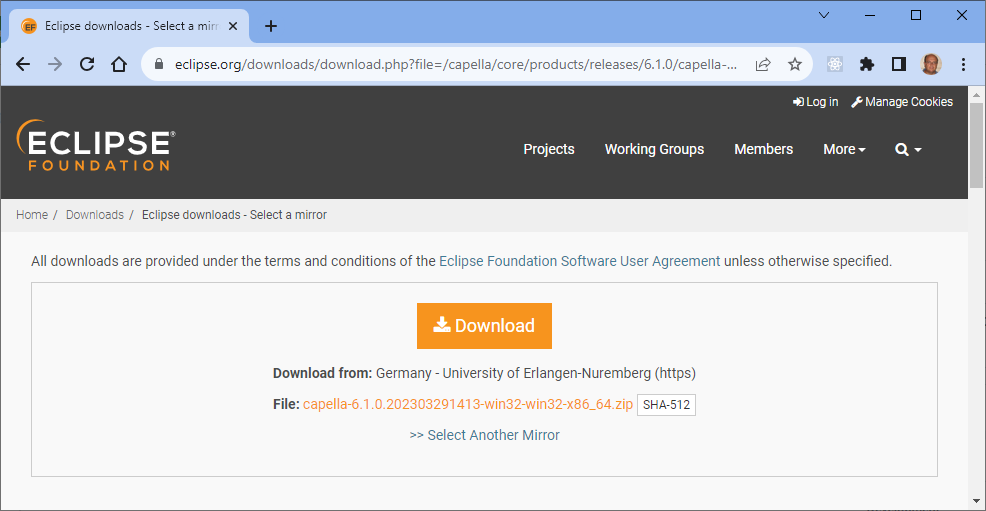
You may select another mirror if you like. Otherwise, click "Download".
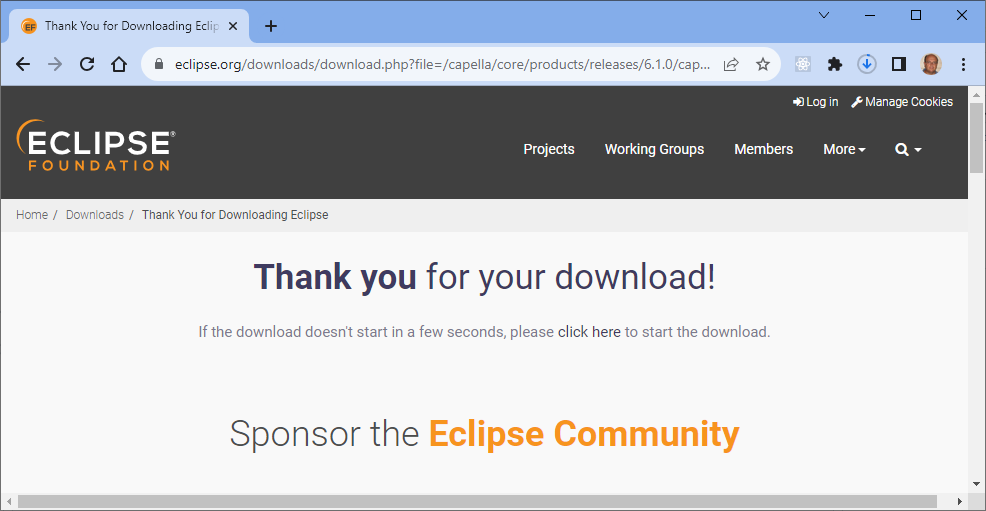
You may also support the Eclipse Community by donating some money.
* Result: file `capella-6.1.0.202303291413-win32-win32-x86_64.zip` will be downloaded
3. Extract the file from the ZIP archive.
```text
mkdir /c/opt/capella
cd /c/opt/capella
unzip $HOME/Downloads/capella-*.zip
ls -la
```
Result:
```text
gianpaolo.macario@HW2457 MINGW64 /c/opt/capella
$ ls -la *
capella:
total 2226
drwxr-xr-x 1 gianpaolo.macario 1049089 0 Oct 9 13:20 ./
drwxr-xr-x 1 gianpaolo.macario 1049089 0 Oct 9 13:21 ../
-rw-r--r-- 1 gianpaolo.macario 1049089 61 Jun 11 2021 .eclipseproduct
-rw-r--r-- 1 gianpaolo.macario 1049089 446509 Mar 29 2023 artifacts.xml
-rwxr-xr-x 1 gianpaolo.macario 1049089 426152 Mar 29 2023 capella.exe*
-rw-r--r-- 1 gianpaolo.macario 1049089 304 Mar 29 2023 capella.ini
-rwxr-xr-x 1 gianpaolo.macario 1049089 131240 Mar 29 2023 capellac.exe*
drwxr-xr-x 1 gianpaolo.macario 1049089 0 Oct 9 13:20 configuration/
drwxr-xr-x 1 gianpaolo.macario 1049089 0 Oct 9 13:20 dropins/
-rw-r--r-- 1 gianpaolo.macario 1049089 16536 Jun 29 2022 epl-v10.html
drwxr-xr-x 1 gianpaolo.macario 1049089 0 Oct 9 13:20 features/
drwxr-xr-x 1 gianpaolo.macario 1049089 0 Oct 9 13:20 jre/
-rw-r--r-- 1 gianpaolo.macario 1049089 9230 Jun 29 2022 notice.html
drwxr-xr-x 1 gianpaolo.macario 1049089 0 Oct 9 13:20 p2/
drwxr-xr-x 1 gianpaolo.macario 1049089 0 Oct 9 13:21 plugins/
drwxr-xr-x 1 gianpaolo.macario 1049089 0 Oct 9 13:21 readme/
samples:
total 3008
drwxr-xr-x 1 gianpaolo.macario 1049089 0 Oct 9 13:21 ./
drwxr-xr-x 1 gianpaolo.macario 1049089 0 Oct 9 13:21 ../
-rw-r--r-- 1 gianpaolo.macario 1049089 3077889 Mar 29 2023 IFE_samplemodel.zip
gianpaolo.macario@HW2457 MINGW64 /c/opt/capella
$
```
You can now launch Capella with the following command-line:
```bash
/c/opt/capella/capella/capella.exe
```
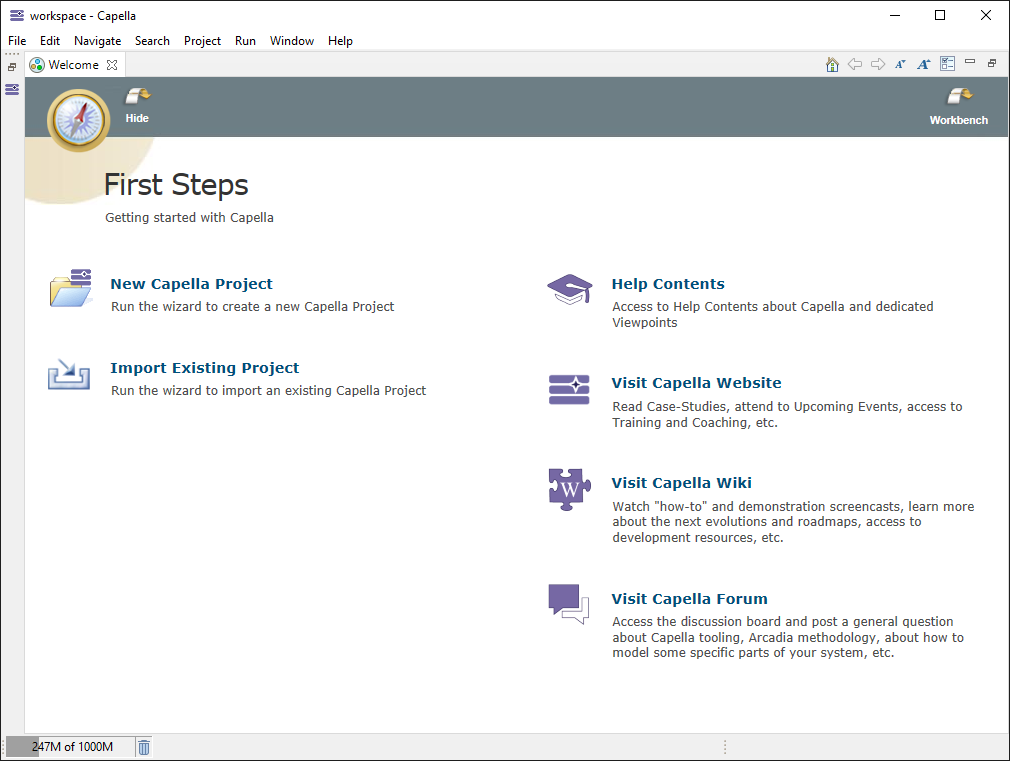
The Capella splash screen should be displayed.

Once you confirm the workspace directory, after a few seconds Capella main windows should eventually be displayed:
## Install Capella (on Ubuntu 64-bit)
1. Go to [Capella - Downloads](https://www.eclipse.org/capella/download.html)
* Look at the section "Other Platforms" > "Linux".
* If you have an Intel CPU, choose "64-bit"; for ARM 64-bit, choose "aarch64".
* Result: file `capella-6.1.0.202303291413-linux-gtk-x86_64.tar.gz` will be downloaded
2. Extract the file from the tar archive:
```bash
sudo mkdir -p /opt/capella
sudo tar -C /opt/capella -xvzf capella-*.tar.gz
```
3. You can launch Capella with the following command-line
```bash
/opt/capella/capella/capella
```
## Install Capella (on macOS)
1. Go to [Capella - Downloads](https://www.eclipse.org/capella/download.html) and choose the file right for your operating system:
* If you have an Intel Mac, choose "64-bit"; otherwise, choose "aarch64".
2. Extract the file from the tar archive.
3. Drag the application into the Applications folder.
4. Launch terminal.
5. Copy and paste the following command:
```console
xattr -d com.apple.quarantine /Applications/Capella.app
```
Then, the program is ready to be used.